A club tournament is one of the strongest loyalty tools a padel club has. Players train for it, bring a partner, meet other members and talk about the results for a week. But in most clubs the tournament itself happens somewhere else: a spreadsheet for the groups, a WhatsApp group for the schedule, a third-party tournament app for the draw, and a photo of a whiteboard for the results.
Every one of those tools takes your players away from your club's own channel. SmashClub now runs full tournaments — from a friendly Americano on a Tuesday night to a multi-day event with groups and a knockout draw — inside the club's own branded app, customer portal and console.
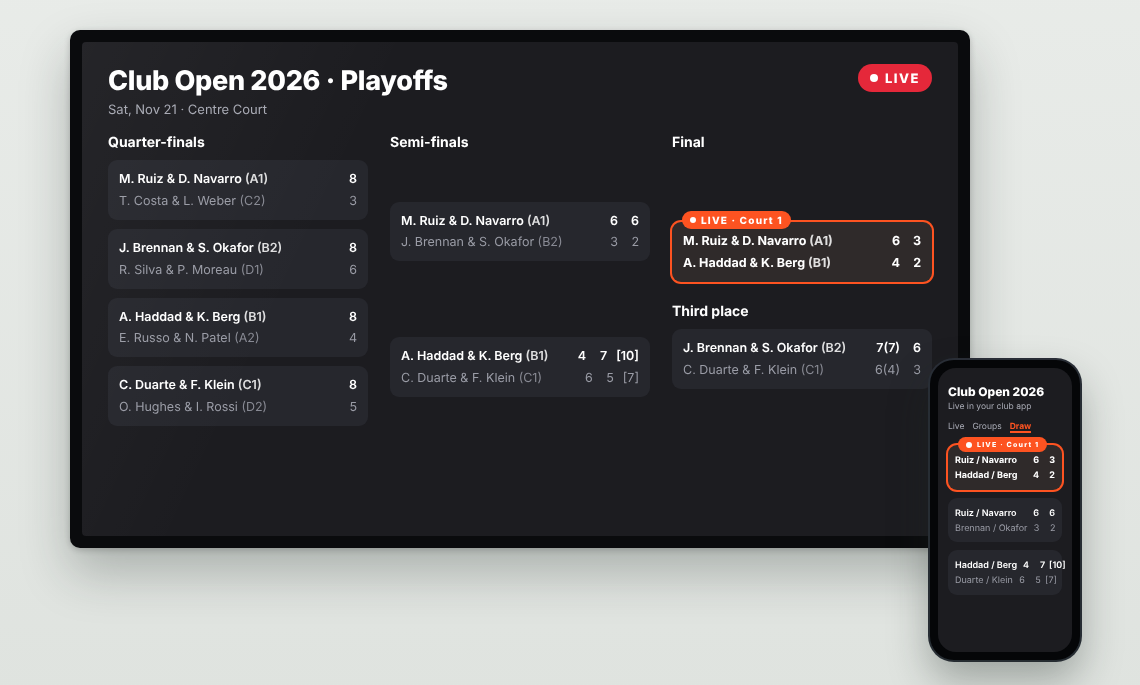
Two formats, from social to competitive
Americano has been in SmashClub since September. Players compete individually, partners and opponents rotate every round, and the system builds fair rotations, assigns courts, tracks who is resting and calculates individual standings. You run it from the mobile app beside the courts, with an optional seeded Final at the end. Clubs also use it to fill off-peak hours.
Groups + Playoffs is new. Fixed pairs play everyone in their group, then the qualifying pairs go into a single-elimination draw, with an optional third-place match. This is the format of club championships, sponsored series and open tournaments — the events where players care most about the result. It also fits corporate leagues and club series.
Prepare on a laptop, days before the event
The organizer sets everything up in the console and can come back to the saved draft at any time.
- Pairs. The roster starts from the event participants. Add members by name or email, add named guests without an app account, and pair players by drag and drop.
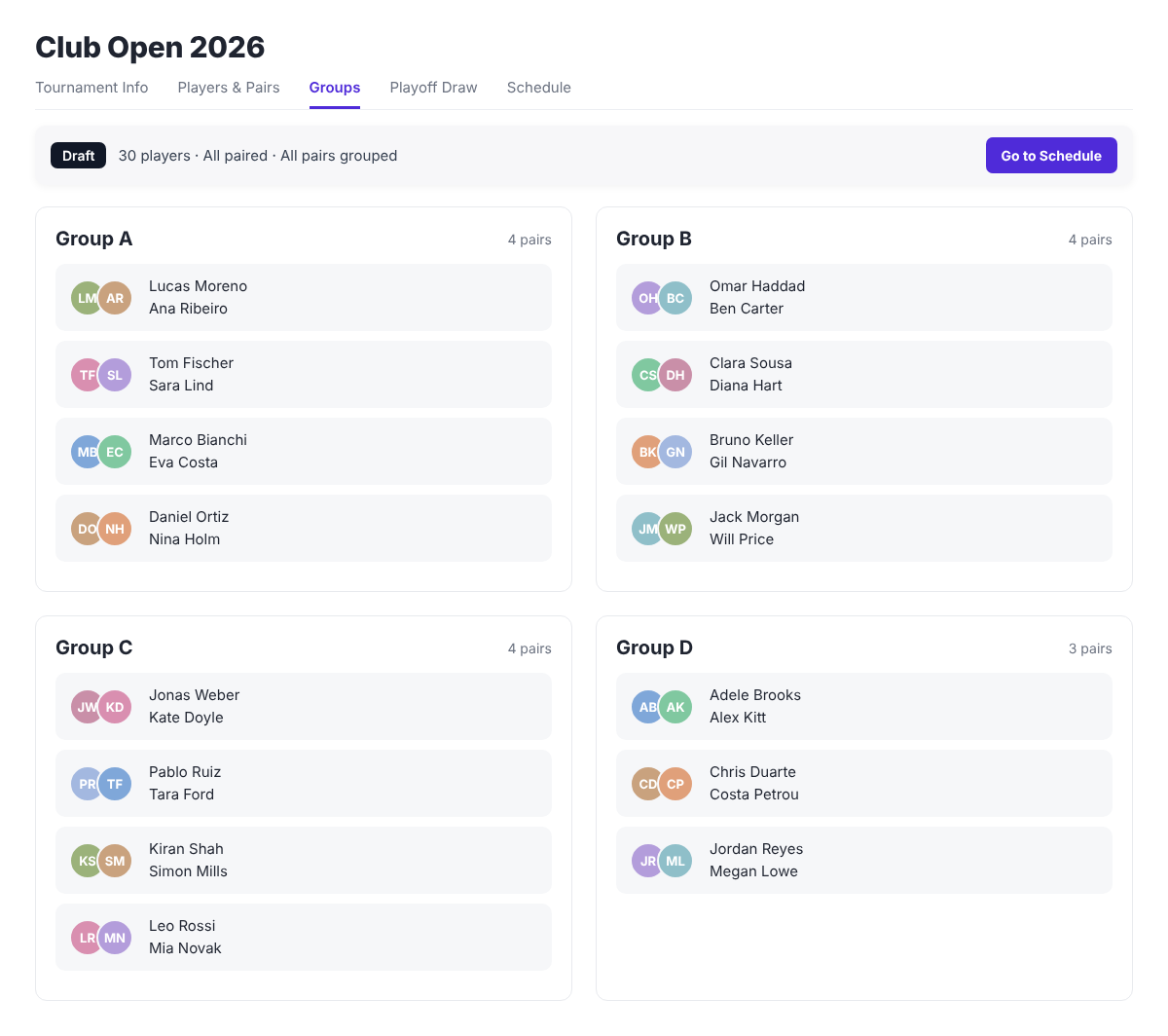
- Balanced groups. Choose a target group size (four pairs by default) and how many pairs qualify from each group (two by default). SmashClub uses available Playtomic player levels to spread stronger pairs across groups. Move any pair to another group by hand if you know better.
- Automatic schedule. Enter the playing dates, start and end times and the courts you have. SmashClub plans every group match with a court and a time, across one or more days, and refuses moves that would create pair or court clashes. Drag matches to change the order or the court before play starts.
- Scoring presets. Pick separate rules for groups and playoffs: Single Set to 9, Single Set to 8, a standard set, Best of Three, Two Sets + Match Tie-Break, Two Sets to 4 + Match Tie-Break or FAST4. You can also switch to a longer format from a chosen round, for example one set in the early playoff rounds and two sets with a match tie-break from the semi-finals.
When the plan is ready, select Publish. Members can now see the groups, their matches and the provisional draw, before a single ball is hit. Play starts separately, when you select Start Tournament.
Run it beside the courts
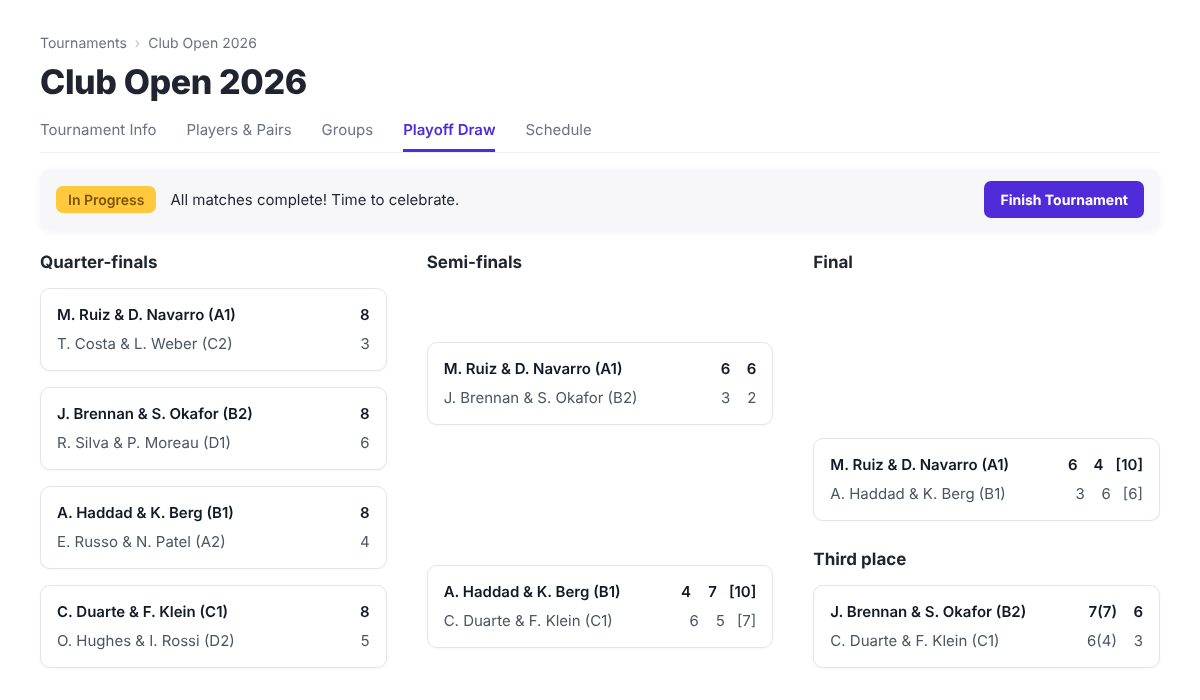
On the day, the organizer enters results from a browser or from the mobile app. Scores can be saved during a match, so people watching see the current score, or entered once the match is finished.
SmashClub does the work that usually happens on a whiteboard:
- Standings and tie-breaks. Match wins first, then head-to-head, then set and game difference. Members can tap the ? next to a group to see exactly how ties were decided.
- Playoff draw. After the group stage, Start Playoffs seeds the draw from the group results, gives byes to the top seeds and avoids immediate rematches between pairs from the same group where possible. If the results still leave a tie on the last qualifying place, the organizer decides and records a reason.
- Winners advance automatically. Each finished playoff match moves the winner on, and semi-final losers go to the third-place match.
- Mistakes are easy to fix. Correct a score or reset a single match without rebuilding the tournament. Every change is recorded in the tournament journal with who made it and when.
- Handover. If the organizer has to leave, the tournament can be passed to another staff member in the web interface, with all results and history kept.
Members follow it live, in your app
This is the part that matters for loyalty. Members open the tournament from Events or from a shared link, with their existing club account. They see group tables, live scores, the playoff draw and each pair's match history.
Open tournament pages update by themselves as the organizer saves scores, in the mobile app, the customer portal and the console. Nobody needs to refresh. The live updates work for Americano too. Members who do not want to install the app follow everything in a browser through the customer portal, so the tournament page can also be open on a screen in the clubhouse.
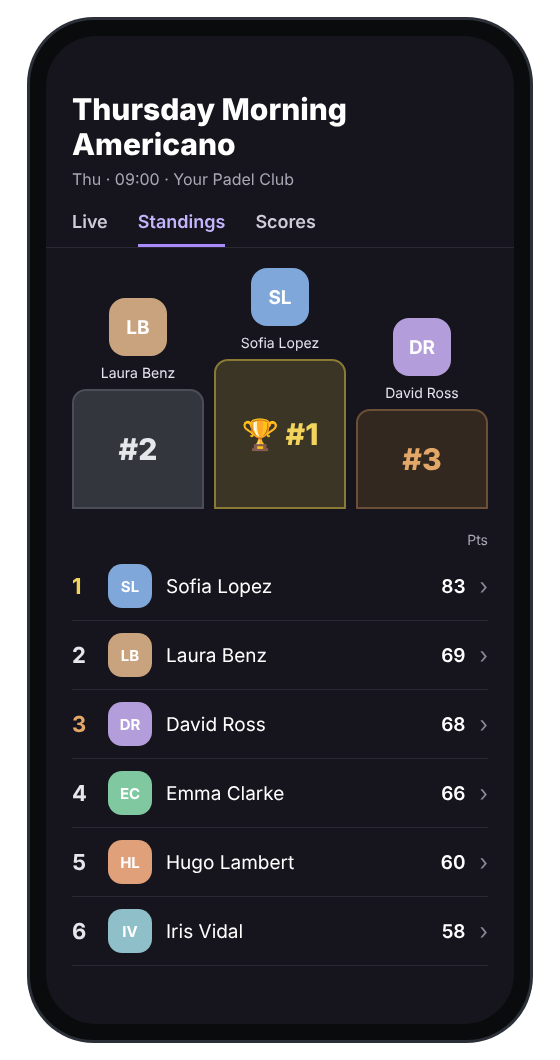
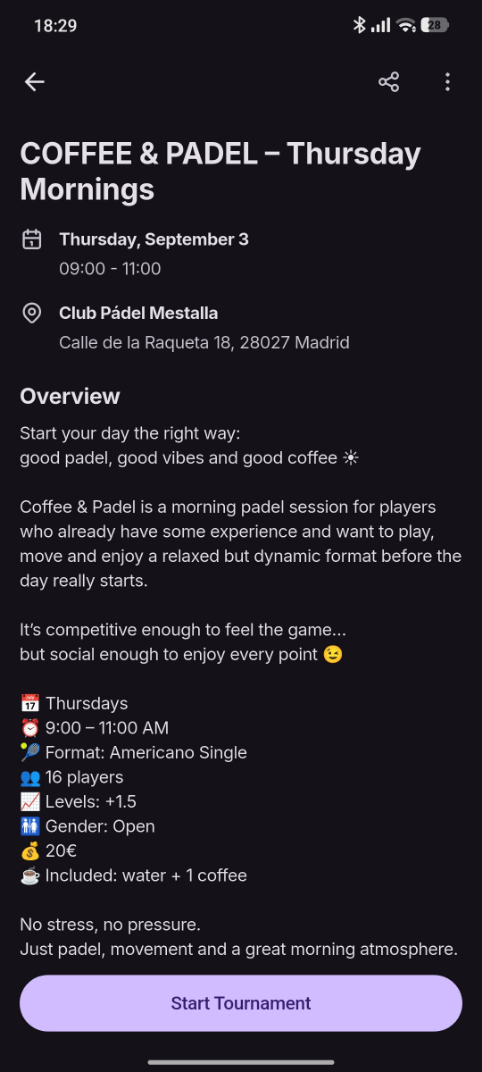
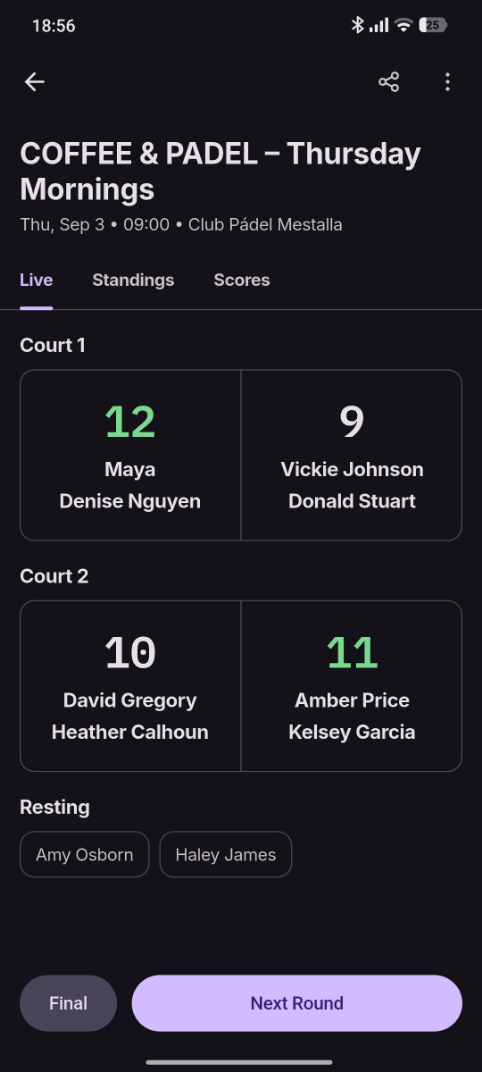
After the final, the winners, groups and draw stay in Past Events. Members can revisit their own matches and follow other club competitions, even the ones they did not play.
Why it belongs in your club app
Every time a player opens a third-party tournament app, they see someone else's brand, someone else's notifications and often other clubs' events. When the tournament runs in your app, the same visit shows your membership offer, your next events, their rewards balance and your partners.
The tournament stops being a one-off evening and becomes part of the member experience you already pay for: events, memberships, rewards and now competition, in one place, under your brand. See a walkthrough on the product tour.
Good to know
- Tournaments start from a SmashClub event, so you can sell places and take entry fees through the event like any other paid event, and give members early access or keep the tournament members-only. Registration and payment stay with the event, and tournament changes do not change event registrations or court bookings, including bookings in Playtomic.
- Staff need the Tournament Organizer, Manager or Admin role to create and manage tournaments.
- Club rankings are a separate feature for long series. Tournament results do not add ranking points automatically yet; staff update the ranking after each tournament.
FAQ
What is the difference between Americano and Groups + Playoffs in SmashClub?
Americano is a social format: players compete individually, partners rotate every round, and standings are individual. Groups + Playoffs is a competitive format: fixed pairs play a group stage, then qualifiers go into a single-elimination draw, with an optional third-place match.
Can we run a tournament if our club uses Playtomic for bookings?
Yes. SmashClub works alongside Playtomic. Tournaments start from a SmashClub event. Registration and payment stay with that event. Tournament changes do not change event registrations or Playtomic court bookings. Available Playtomic player levels can be used to balance groups.
Do members see live scores without refreshing?
Yes. Open tournament pages update by themselves as the organizer saves scores, in the club app, the customer portal and the console. Members can also follow the tournament in a browser through the customer portal.
Do tournament results add club ranking points automatically?
Not by default. Club rankings are a separate feature. Staff update ranking points after each tournament. Automatic transfer of tournament results into ranking points can be activated for a club on request.
See it on your courts
If your club runs tournaments, leagues or a sponsored series, we can show you a full Groups + Playoffs tournament in a 30-minute demo, and set up your first one with you.